

When families cannot gather in person to say goodbye, the ability to live stream funeral service on own website provides a dignified, private solution that social media platforms simply cannot offer. Broadcasting a memorial on Facebook Live exposes a deeply personal event to an unpredictable audience, while YouTube lacks the password protection that grieving families require. Instead, embedding a funeral live stream on your funeral home’s website ensures only invited mourners attend. The stream uses a unique password for access control. Your branded page reflects the gravity and professionalism of your service. This guide explains exactly how to live stream a funeral service on your own website using YoloCast, what equipment you need, and how to protect family privacy throughout.
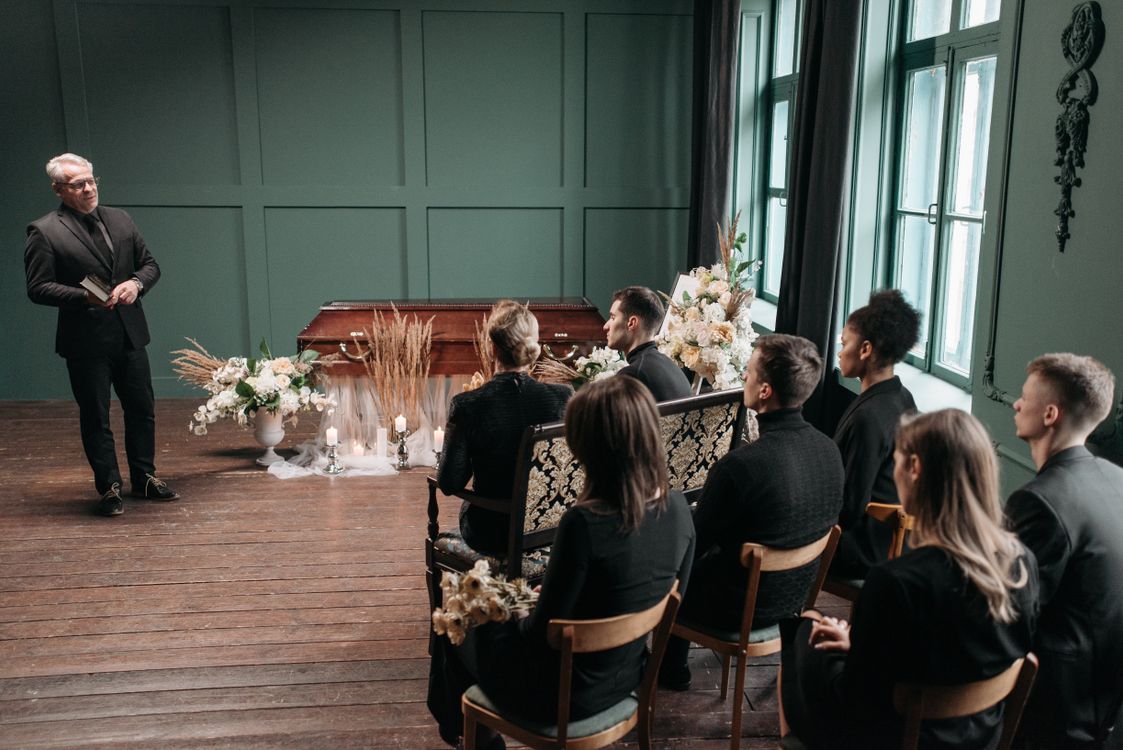
Why Funeral Homes Need Website-Embedded Streaming
The specific needs of a funeral service differ fundamentally from a corporate webinar or sports broadcast. Privacy, dignity, and restricted access are non-negotiable. When a funeral home chooses to live stream a funeral service on its own website rather than a public social platform, it communicates a level of professional care that families remember.
Facebook Live and YouTube present several serious problems for memorial services. Facebook is a public platform by default. Even restricted settings cannot guarantee that strangers won’t encounter a memorial through shared links. Furthermore, family members without active Facebook accounts cannot join. Additionally, the platform’s notification banners, advertisements, and algorithm-driven content are deeply inappropriate for a grief-focused occasion. In contrast, an embedded player on your funeral home’s website creates a controlled, solemn environment where the family’s focus remains on the service itself.
Additionally, a website-embedded stream gives your funeral home full ownership of the experience. You control the branding, the credentials, and the archive timeline. None of that control is possible when streaming exclusively on a third-party platform. According to the National Funeral Directors Association (NFDA), livestreamed services have become a standard family expectation rather than an optional add-on. Therefore, professional streaming infrastructure is now a necessary business investment.
Equipment You Need for a Funeral Live Stream
A professional funeral live stream does not require broadcast television equipment. The goal is clear, respectful video that allows remote mourners to feel present — not cinematic production quality. Most funeral homes achieve excellent results with modest, reliable gear.
Funeral Streaming Equipment Overview
| Equipment | Minimum | Recommended |
|---|---|---|
| Camera | Smartphone (1080p) on tripod | PTZ camera with remote zoom control |
| Microphone | Built-in camera microphone | Wireless lapel mic on officiant |
| Internet | Wi-Fi (10+ Mbps upload) | Wired ethernet connection |
| Lighting | Existing chapel lighting | Two softbox lights at 45-degree angles |
| Streaming platform | YouTube / Facebook (public) | YoloCast with website embed + password |
Specifically, audio quality is the most important technical factor in a funeral stream. Remote mourners rely entirely on the audio to follow prayers, eulogies, and music. Therefore, a wireless lapel microphone is the single most impactful equipment upgrade. Clip it to the officiant’s lapel for consistent coverage. It ensures clear, consistent audio even during quiet spoken passages or when the officiant moves away from a fixed microphone.
Additionally, camera placement requires care. Position your camera on a fixed tripod at the rear or side of the chapel, aimed at the podium and casket area. Avoid angles that directly capture mourners’ faces without consent, and keep the framing focused on the service rather than the audience.
How to Live Stream a Funeral Service on Your Own Website: Step by Step
Every live stream funeral service on own website setup follows the same core process. Setting up your funeral live stream with YoloCast involves five steps. After your initial configuration, each subsequent service takes under fifteen minutes to prepare.
Step 1: Create Your YoloCast Account and Event
Sign up for YoloCast and create a new stream event in your dashboard. Title the event clearly — for example, “Memorial Service for [Full Name] — [Date]” — so the family can locate the recording in your archive afterward. Set the scheduled date and time to match the service. For a full walkthrough of the technical RTMP connection process, see YoloCast’s guide on RTMP streaming setup.
Step 2: Enable Password Protection
In your YoloCast event dashboard, toggle on password protection and create a unique password for this service. Password protection is available on all YoloCast plans, including the Starter plan at $19/month. Share the password exclusively with the family. They then distribute it to invited mourners in the service notification, obituary notice, or a direct email. Anyone who visits your page without the correct password sees a locked screen. They cannot access the stream. For a full explanation of how private streaming works, read our guide on setting up secure private live streaming with YoloCast.
Step 3: Generate Your Embed Code and Place It on Your Website
Navigate to the embed settings in your YoloCast dashboard and copy the iframe code for your stream event. Paste this code into the memorial service page on your funeral home’s website. The YoloCast HTML5 embedded player then activates automatically when your broadcast begins. Mourners who visit the page before the service starts see a countdown screen. When the service begins, the player activates automatically. No manual website update is necessary. Website embedding is available starting at $39/month.
Step 4: Connect Your Camera and Run a Complete Test
Connect your camera via your laptop or a hardware encoder to YoloCast’s RTMP ingest point. Run a complete test broadcast at least 24 hours before the service. Verify audio levels from your lapel microphone, confirm the embed player displays correctly on both desktop and mobile, and test the password prompt with a colleague watching on a separate device. Mobile testing is especially important — many mourners watch funeral streams from phones or tablets at home.
Step 5: Go Live and Archive the Service Automatically
Start your broadcast 5–10 minutes before the service begins so mourners can connect and confirm their stream is working. YoloCast records all broadcasts automatically in your Media Center. After the service ends, the recording is immediately available. Consequently, the family can watch as many times as they choose, for as long as needed. This permanent archive — delivered privately through your branded website — is one of the most meaningful lasting gifts a funeral home can provide to a grieving family.
Password Protection: How It Works in Practice
The most consistent question funeral professionals ask about streaming is: “How do we guarantee only family can watch?” YoloCast includes password protection on every plan, making this the simplest problem in the entire setup process.
Specifically, you set a unique password for each service event in your YoloCast dashboard. That password belongs to that specific stream event and does not carry over to other broadcasts. When mourners arrive at your embedded player page, they see a prompt to enter the password. Once entered correctly, the player unlocks immediately. Nobody — not even someone with the direct URL — can watch the stream without that password.
Furthermore, YoloCast offers a Live-Only mode, which means the recording is available only for a window of time you control. If the family prefers limited archive access, you can disable replay after an agreed period. Options include one week, thirty days, or any duration the family requests.
Streaming to Multiple Family Groups Simultaneously
However, some families want the primary memorial stream on your website for immediate family, while extended relatives prefer to watch through a private Facebook group or an unlisted YouTube link. YoloCast supports both simultaneously through multistreaming. From a single broadcast, you simultaneously deliver the stream to your website’s password-protected embedded player and to any number of additional private destinations.
This means different branches of a geographically dispersed family watch on whichever access method works best for them, while your website remains the primary, branded channel for the core group. For additional guidance on running simultaneous broadcasts across multiple platforms, read our guide on B2B live streaming for organizations.
Accessibility: Captions for Hearing-Impaired Mourners
Moreover, mourners with hearing impairments deserve full access to a memorial service just as much as those watching in person. YoloCast’s AI Live Subtitles, available on the Business plan at $99/month, generate real-time captions during the broadcast automatically. No external captioning service or post-production workflow is necessary. According to the Americans with Disabilities Act (ADA), accessibility considerations for public-facing services increasingly apply to digital experiences as well, making captions both an ethical and professional best practice.
Comparing Platforms for Funeral Live Streaming
| Platform | Website Embed | Password Protection | Auto Recording | Starting Price |
|---|---|---|---|---|
| YoloCast | ✓ | ✓ | ✓ | $19/mo |
| Dacast | ✓ | ✓ | ✓ | ~$39/mo |
| Vimeo | ✓ | ✓ | Limited | ~$20/mo |
| YouTube Live | Partial | ✗ | ✓ | Free |
| Facebook Live | ✗ | ✗ | Limited | Free |
In contrast, YouTube Live does not offer password protection for live streams. Therefore, it is unsuitable for private funeral services. Facebook Live keeps content on Facebook’s platform. Consequently, it cannot embed on your funeral home’s own website. In contrast, YoloCast provides both website embedding and password protection from $19/month. Consequently, it is the most accessible platform that meets the fundamental privacy requirements of funeral streaming.
Accessibility and Legal Considerations for Funeral Streams
Many states and localities have guidelines about recording and broadcasting memorial services. Therefore, verifying local regulations before your first broadcast is advisable. Furthermore, according to the funeral live streaming best practices guide published by memorial service providers, notifying all attendees that a service will be recorded represents industry-standard protocol. Additionally, obtaining a simple written acknowledgment from the family regarding the recording ensures your funeral home is protected.
Practical Tips for a Professional Funeral Live Stream
- Test 24 hours before the service. Funeral day is not the time to discover a technical issue. Run a complete test broadcast the day before, with a colleague watching the embedded player remotely to confirm everything works from the viewer’s perspective.
- Use a wired ethernet connection. Chapel Wi-Fi is often shared and unpredictable. A wired ethernet connection eliminates the most common cause of stream interruptions during a service.
- Assign a dedicated stream monitor. One staff member should watch the stream on a separate device throughout the service. This person catches technical issues immediately. Importantly, they resolve problems without interrupting the ceremony.
- Create a simple access card for mourners. Many mourners, especially older family members, may be unfamiliar with accessing streams. Provide a simple printed or emailed card with the URL and password, plus one-sentence instructions.
- Discuss recording preferences with the family in advance. Some families want permanent access to the recording; others prefer removal after thirty days. Confirm the family’s preference during arrangements and document it.
Frequently Asked Questions About Live Streaming Funeral Services
Do remote mourners need to create an account to watch?
No. Mourners visit your funeral home’s website, enter the password the family shared with them, and watch directly in the embedded player. Viewers need no YoloCast account or app download on their side.
Can I stream to both my website and a private Facebook group at the same time?
Yes. YoloCast multistreaming delivers your broadcast simultaneously to your website’s embedded player and to additional destinations including private Facebook groups, unlisted YouTube streams, or any RTMP endpoint — all from a single broadcast.
How long is the funeral recording stored after the service?
YoloCast stores recordings in your Media Center automatically. You control the retention duration and can make the recording available indefinitely or remove it after a period agreed upon with the family.
What happens if the internet connection drops during the service?
Therefore, connect via wired ethernet as your primary connection and keep a mobile hotspot as a backup. YoloCast also includes a Backup Stream feature on all plans. This routes the broadcast through a secondary RTMP path if the primary connection fails.
Can family members watch on smartphones and tablets?
Yes. YoloCast’s HTML5 embedded player works across all modern devices including iPhones, Android phones, tablets, and desktop browsers without any app download required.
Offer Every Family a Dignified Private Memorial Stream
When a family entrusts you with their loved one’s service, they deserve a streaming solution that matches that responsibility. However, professional streaming does not need to be expensive. A private live stream funeral service on own website — with password protection, automatic recording, and permanent archive access — delivers exactly that. Furthermore, with YoloCast’s straightforward setup, password protection on every plan, and a 14-day free trial that requires no credit card, you can offer professional funeral streaming to every family you serve from just $19/month.
For more on embedding live video directly on your website, read our complete guide on how to live stream to your own website without a third-party platform.
Start your free 14-day YoloCast trial and stream your first funeral service this week →
2,169 total views, 23 views today

Betty,As a Customer Success Specialist at YoloLiv, she is passionate about helping users understand YoloCast’s features and resolve day-to-day usage challenges. In addition to hands-on support, she creates practical articles that share tips, troubleshooting guidance, and best practices to help users get more value from YoloCast.
