

Live streaming for wine tasting events website integration has transformed how wineries, sommeliers, and wine educators connect with audiences beyond their tasting rooms. Instead of limiting attendance to guests who fit around a table, a wine tasting broadcast on your website reaches hundreds of virtual guests simultaneously. All of them watch on your branded domain, not a third-party platform. Whether you run a boutique winery or host corporate wine experiences, live streaming for wine tasting events website pages creates a scalable, repeatable product. Additionally, it earns revenue without physical capacity constraints. This live streaming for wine tasting events website guide covers everything you need. It covers equipment, platform setup, and password protection for paid tastings. Additionally, it shows how to grow your virtual wine school beyond a single ZIP code.
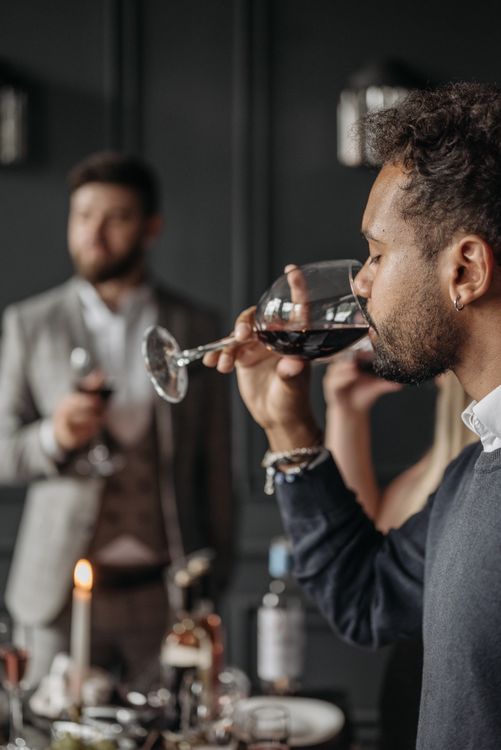
Why Wineries and Sommeliers Are Streaming on Their Own Websites
Streaming a wine tasting on Facebook or YouTube solves the distribution problem. However, it creates a new one: you build an audience on someone else’s platform. When viewers watch your tasting on YouTube, the platform immediately serves them competitor content and wine subscription ads. Consequently, algorithmic suggestions redirect attention away from your winery and your booking page.
In contrast, live streaming for wine tasting events website pages keeps the entire experience within your brand environment. There, every click stays in your ecosystem. Your virtual guests see your tasting notes and your wine shop links. Additionally, your next scheduled event is visible on the same page. Consequently, a well-produced virtual tasting becomes a full-funnel conversion experience. Consequently, a well-produced virtual tasting becomes a full-funnel conversion experience. It is no longer simply a content giveaway.
Additionally, embedding your tasting stream on your website gives you complete ownership of viewer analytics. You see exactly how many people attended and how long they watched. In contrast, Facebook and YouTube retain that data for themselves when you stream exclusively on their platforms. According to Wine Institute, direct-to-consumer wine sales continue to grow significantly year over year, and virtual tastings are a primary driver of customer acquisition for wineries without major retail distribution.
Equipment for a Professional Wine Tasting Live Stream
A wine tasting has specific visual requirements that differ from a standard talking-head broadcast. Viewers need to see wine color, clarity, and viscosity — which demands more deliberate camera setup than most live streams.
Wine Tasting Streaming Equipment Overview
| Equipment | Minimum | Recommended |
|---|---|---|
| Camera | Smartphone (1080p) | Mirrorless camera or PTZ with zoom |
| Microphone | Built-in camera mic | Lapel mic or USB condenser |
| Background | Wine rack or neutral wall | Branded backdrop or vineyard window view |
| Lighting | Natural window light | Two softbox lights + backlight for wine clarity |
| Internet | Wi-Fi (10+ Mbps upload) | Wired ethernet connection |
Specifically, lighting is the critical variable for wine tasting streams. Viewers need to see wine color accurately — whether you’re demonstrating a pale Pinot Gris or a deep Cabernet. Position two softbox lights at 45-degree angles in front of your workspace. Then place a third LED panel behind the wine glasses to illuminate the color from behind. This technique renders wine color far more accurately than overhead or single-source lighting.
Additionally, a second camera angle — an overhead or close-up shot of the glass — adds significant production value for virtual tastings. Many hosts use a smartphone on a flexible arm positioned directly above the glass for pour and color demonstrations, while the primary camera maintains the talking-head angle.
How to Set Up Live Streaming for Wine Tasting Events on Your Website
Setting up a professional wine tasting stream on your website with YoloCast follows five clear steps. After the initial configuration, preparing each new tasting event takes under ten minutes.
Step 1: Create Your Stream Event in YoloCast
Sign up for YoloCast and create a new stream event in your dashboard. Set your tasting title, date, and time. Title each event descriptively so registrants recognize it immediately. For example, “Napa Valley Cabernet Tasting — June 2026” keeps your archive organized for repeat guests. Configure your streaming destinations including your website’s embedded player and any additional social media channels where you want to reach casual followers simultaneously.
Step 2: Generate and Place Your Embed Code
In your YoloCast dashboard, navigate to the embed settings and copy the iframe code. Paste it directly into your event page, your wine club member portal, or your online shop — wherever your registered guests will watch. The YoloCast HTML5 embedded player activates automatically when your broadcast begins. For a detailed walkthrough of embedding on different website platforms, see our guide on live streaming to your own website without a third-party platform.
Step 3: Set a Password for Paid Virtual Tastings
If you charge for your virtual tastings, enable the password protection toggle in your event dashboard. YoloCast includes password protection on all plans including the entry-level $19/month Starter plan. Specifically, create a unique password for each tasting event. Include it in your registration confirmation email. Guests visit your event page and enter the password. The embedded player unlocks immediately. Anyone who has not registered and paid receives a locked player. Therefore, your paid content remains exclusive.
Step 4: Test Your Setup Before the Tasting
Therefore, run a complete test broadcast at least 48 hours before your first tasting. Check both your primary camera angle and any overhead glass shot, verify audio clarity (your voice should be warm and clear, not echoey), and test the password entry from a second device. Specifically, test on mobile — many wine club members watch virtual tastings from tablets or phones while sitting at their kitchen tables with their own bottles.
Step 5: Go Live and Engage Your Virtual Guests
Start broadcasting 5 minutes before the tasting begins so guests can settle in and confirm their stream is working. Open with a quick housekeeping note about how the session will run and how guests can submit questions through the chat. Pour and discuss each wine using the same structure you would in person: appearance, aroma, palate, and pairing suggestions. Monitor live chat between each pour to answer questions in real time.

Monetizing Virtual Wine Tastings Through Your Website
Live streaming for wine tasting events on your website unlocks several revenue models that platform-dependent streaming cannot support.
The most straightforward model is the paid virtual tasting. Guests pay a flat fee per session, receive a password in their confirmation email, and access the stream on your website. The password ensures only paying guests watch, and your website’s surrounding pages — shop, membership, wine club — are available to convert viewers into recurring customers immediately after the tasting ends.
A second model is the wine club membership stream. Members receive monthly tasting access as part of their subscription. Furthermore, each event password arrives with their monthly wine shipment. This model drives both membership retention and direct wine sales simultaneously.
YoloCast includes a built-in donation button embedded directly inside the video player. For tastings that support charitable causes or wine education nonprofits, this feature allows guests to contribute without leaving your website. For a full breakdown of available features by plan, see the YoloCast plan comparison.
Pre-Recording Tastings and Streaming Them as Live Events
However, not every virtual tasting needs to be genuinely live. Complex multi-flight tastings, educational masterclasses, and vertical tastings requiring significant preparation benefit from advance recording and careful editing before broadcast.
YoloCast’s Upload & Stream feature lets you pre-record a tasting, upload it to YoloCast’s Media Center, and schedule it to broadcast as a live event at your chosen time. Guests experience it as a live tasting — with live chat running alongside — while you deliver a perfectly edited, technically flawless demonstration. You can also set the event to recur automatically. Consequently, the same masterclass replays for new guests each month without any additional preparation. For more detail on this approach, read our guide on how to broadcast pre-recorded video as live on your website.
Comparing Platforms for Wine Tasting Live Streaming
| Platform | Website Embed | Password Protection | Simulated Live | Starting Price |
|---|---|---|---|---|
| YoloCast | ✓ | ✓ | ✓ | $19/mo |
| Dacast | ✓ | ✓ | Limited | ~$39/mo |
| Vimeo | ✓ | ✓ | ✗ | ~$20/mo |
| Zoom | ✗ | ✓ | ✗ | ~$15/mo |
| YouTube Live | Partial | ✗ | Limited | Free |
In contrast, In contrast, Zoom lacks website embedding entirely. Your wine club domain plays no role in the guest experience. YouTube Live does not support password protection for live streams. Therefore, paid access control is impossible on that platform. In contrast, YoloCast combines website embedding, password protection, simulated live broadcasting, and multistreaming at an accessible price that fits the budget of boutique wineries and individual sommeliers.
What Research Says About Virtual Tasting Engagement
Indeed, virtual tastings outperform traditional product videos for wine discovery. According to research from Eventbrite’s virtual event research, interactive live experiences generate significantly higher post-event purchase intent than passive video content. Virtual wine tastings with live Q&A rank among the highest-ROI marketing formats available to wineries and sommeliers.
Tips for Better Wine Tasting Live Stream Quality
- Ship wine kits in advance. Partner with a wine shop or ship selections directly to registered guests before the tasting so everyone follows along with the same bottles. This transforms a passive viewing experience into an active, participatory event.
- Use consistent glassware on screen. Identical stemware across your camera frame looks professional and helps guests compare their pour to yours when following along at home.
- Label each bottle clearly on camera. Remote viewers cannot read small labels. Hold each bottle label toward the camera and read it aloud when introducing each wine.
- Archive every tasting for replay access. YoloCast records all broadcasts automatically. After each session, make the replay available to registered guests. They can revisit a wine they enjoyed or catch a session they missed.
- Create a tasting notes PDF companion. Offer a downloadable tasting notes sheet on the same page as your embedded player. Guests who print it in advance take notes during the session, which dramatically increases post-tasting wine purchases.
Frequently Asked Questions About Live Streaming Wine Tasting Events
How do I prevent non-paying guests from watching my virtual tasting?
Enable password protection in your YoloCast event dashboard and include the password in your registration confirmation email. Only guests who registered and received the password can access the embedded player. Anyone visiting the page without the password sees a locked screen.
Can I stream the same tasting to both my website and social media simultaneously?
Yes. YoloCast multistreaming delivers your broadcast simultaneously to your website’s embedded player, YouTube, Facebook, and up to 30 other destinations from a single broadcast. Paying guests watch on your website; casual followers on social media discover your tastings and convert into registered guests over time.
Can I schedule a wine tasting in advance and have it start automatically?
Yes. YoloCast supports advance event scheduling with automated start times. You can also use the Upload & Stream feature to pre-record a tasting and schedule it to broadcast as a live event at a specific date and time, entirely automatically.
How many guests can attend a virtual wine tasting simultaneously?
YoloCast supports thousands of concurrent viewers. For most virtual wine tastings — from intimate 20-person club events to large 500-person public tastings — your plan comfortably handles your full audience without interruption.
Take Your Wine Tastings Beyond the Tasting Room
Live streaming for wine tasting events on your website removes geography as a constraint on your audience and your revenue. Virtual guests attend from anywhere in the world. Your website converts them into wine club members and shop customers. Furthermore, every archived tasting continues generating discovery and sales long after the live event ends.
With YoloCast’s embedded player, password protection, simulated live broadcasting, and automatic archiving, you have everything to build a profitable virtual wine program. It starts at $19/month with a free 14-day trial and no credit card necessary.
Start your free 14-day YoloCast trial and stream your first virtual tasting today →
1,060 total views, 11 views today

Betty,As a Customer Success Specialist at YoloLiv, she is passionate about helping users understand YoloCast’s features and resolve day-to-day usage challenges. In addition to hands-on support, she creates practical articles that share tips, troubleshooting guidance, and best practices to help users get more value from YoloCast.
