
If your YoloCam S3 is not connecting to the Compose app, don’t worry — in most cases, the issue can be resolved quickly by following the steps below.
Step 1: Basic Hardware Check
Before changing any software settings, start with the basics:
- Check the USB cable
Try a different cable if possible. Some cables are charge-only and won’t transmit data. - Check the USB port
Try to unplug and plug again. - Avoid USB hubs
Connect the S3 directly to your computer to rule out power or data issues.
Step 2: Basic Software Troubleshooting
If the hardware looks fine, try the following:
- Restart your computer.
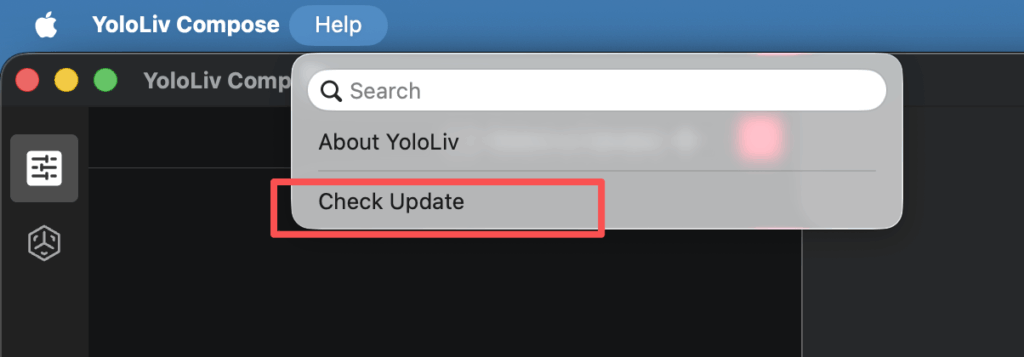
- Update the Compose to the latest version. This is how to check if the Compose is the latest version or not. Click ‘Help’ in the toolbar and click ‘Check Update’.
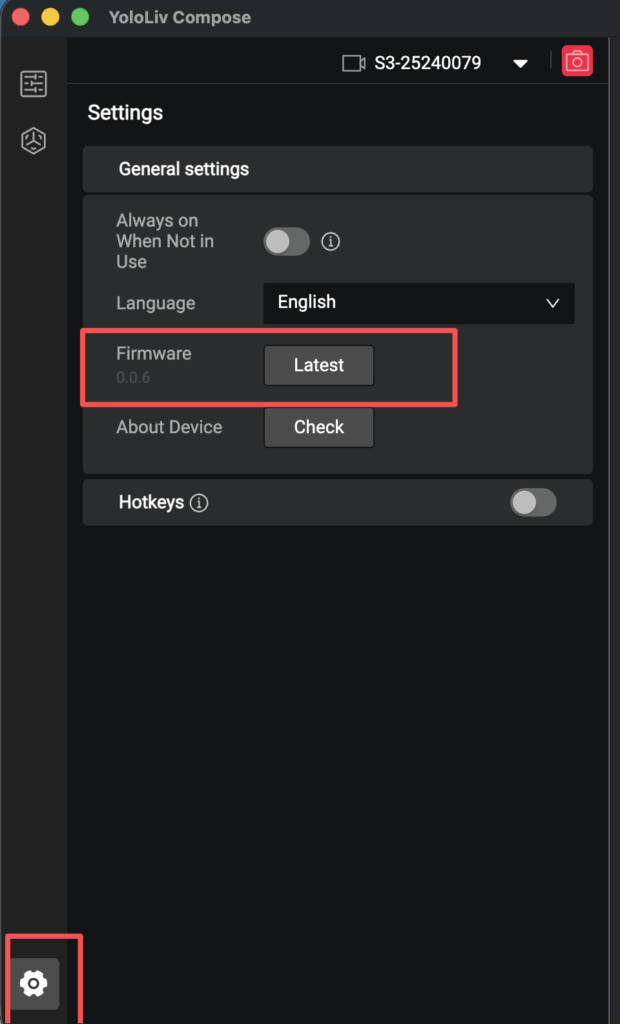
- Update the S3 camera firmware in Compose. Go to “Settings” in Compose, Find “Firmware”, and Click “Upgrade”.
Many connection issues are resolved after a restart or update.
Step 3: Platform-Specific Solutions
For Windows Users
On Windows, the issue is often related to network settings.
- Open Compose
- Click the red box area 10 times. Or go to Settings, and click ‘settings’ in the red frame area 10 times
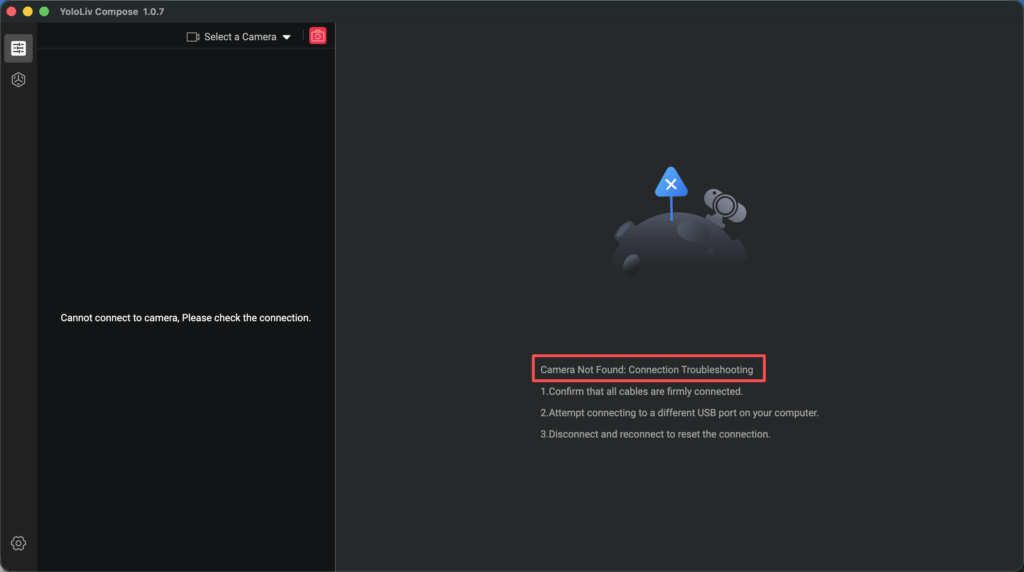
- Try switching the network adapter mode
- Restart Compose and reconnect the camera
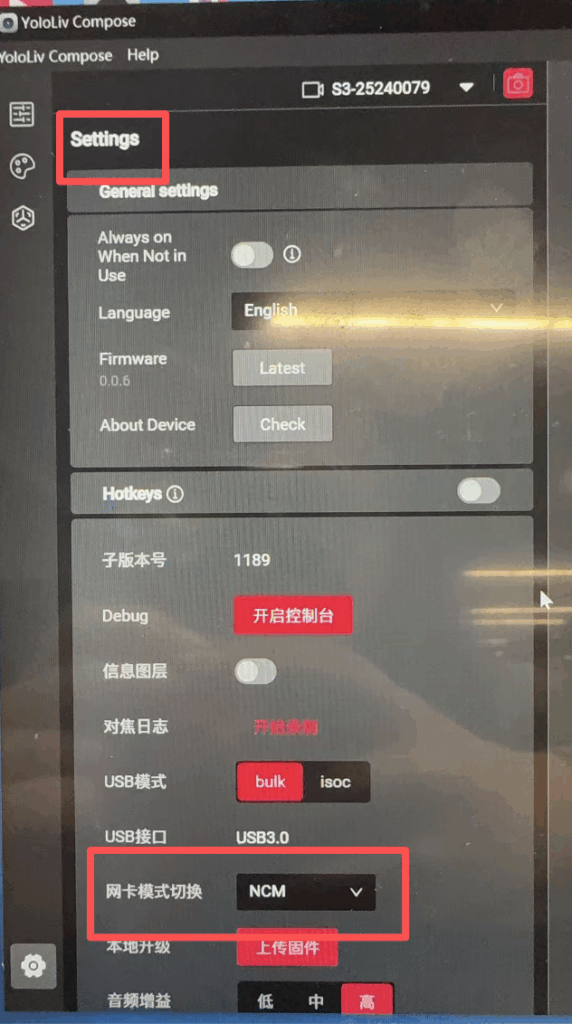
This helps Compose correctly detect the S3 on your system.
For macOS Users
On Mac, Compose relies on local network permissions.
- Go to System Settings → Network
- Make sure Compose is allowed to access the local network
- Check if YoloCam S3 appears in the device list
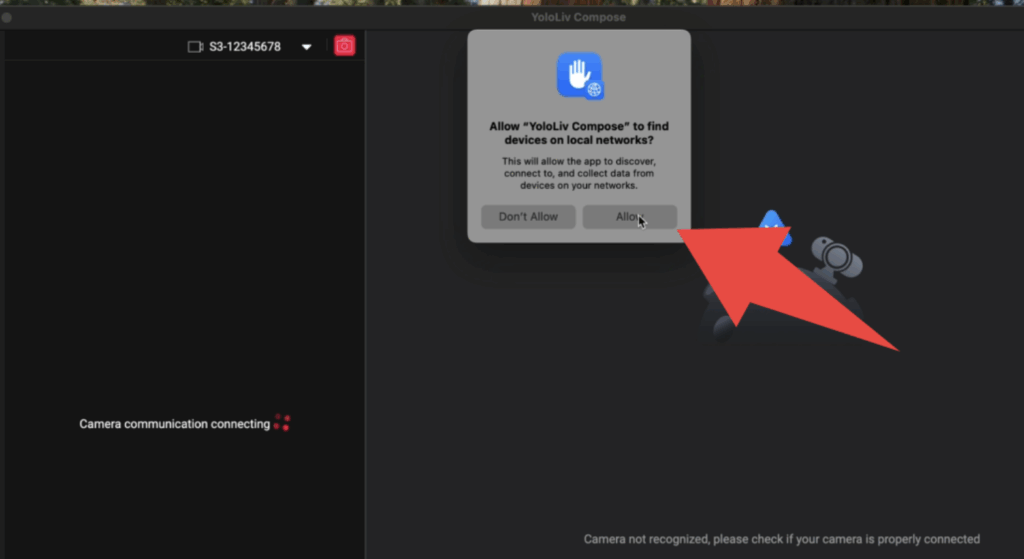
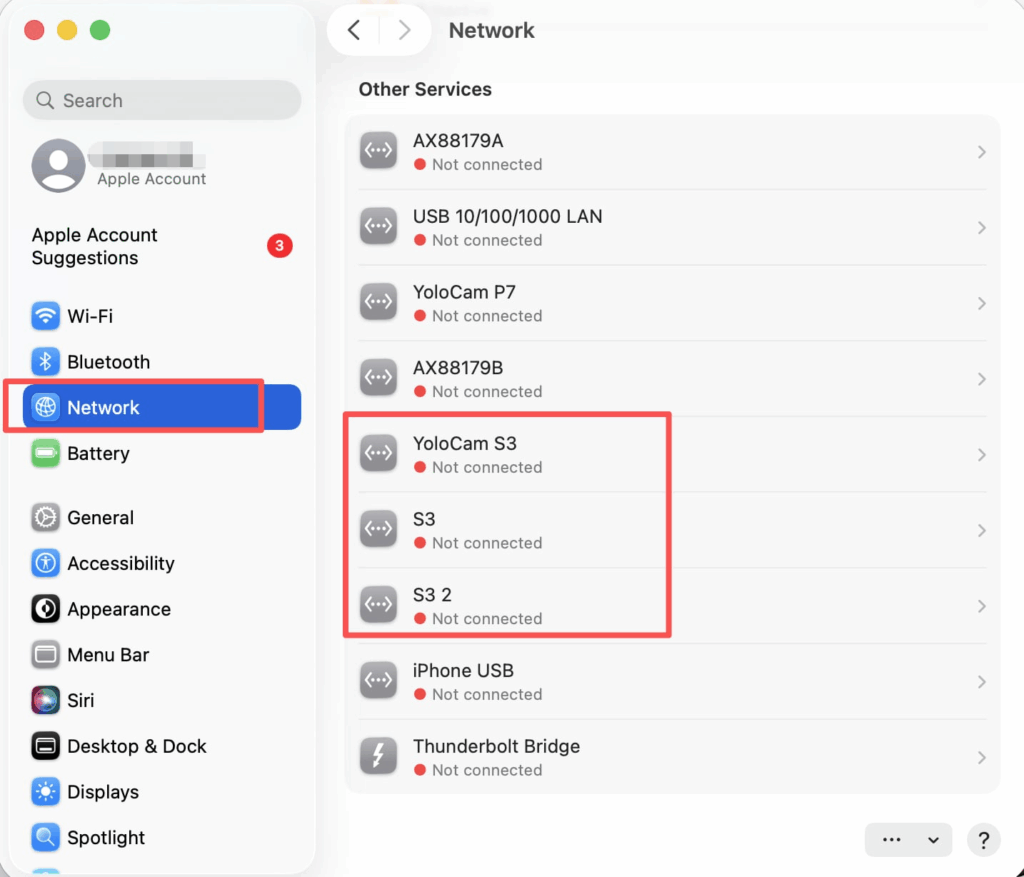
If S3 does not show up, toggle the permission off and on, then restart Compose.
Still Not Working?
If the issue persists after trying all the steps above, please contact YoloLiv Support at contact@yololiv.com and include:
- Your operating system (Windows/macOS version)
- Compose app version
- S3 firmware version
- A short description of what you’re seeing
We’ll be happy to help you get connected and back to creating 🚀
15,329 total views, 7 views today

Meredith, the Marketing Manager at YoloLiv. After getting her bachelor’s degree, she explores her whole passion for YoloBox and Pro. Also, she contributed blog posts on how to enhance live streaming experiences, how to get started with live streaming, and many more.
